

For Coach Zachary (Sample Client Scenario)
Pickleball Coach Funnel, Booking & Automation Systmen
Project Overview
This project demonstrates a GoHighLevel funnel designed for a pickleball coach to present coaching offers and allow players to easily book training sessions.
The funnel guides visitors from the coaching offer page through session selection, booking, and confirmation
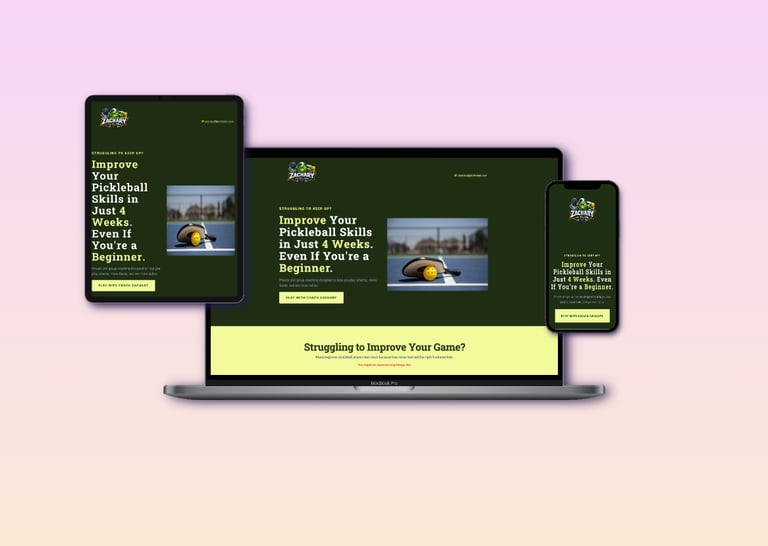
You can view the sample funnel here:
The Problem
Many independent sports coaches manage bookings through social media messages or chat inquiries.
This approach often makes it difficult to organize schedules, track players, and respond quickly to new inquiries.
Without a structured system, potential clients may lose interest before completing a booking.
The Solution
To solve this problem, I built a structured booking funnel inside GoHighLevel that allows players to easily choose a coaching session and schedule a training time.
The funnel simplifies the booking process while automatically storing player information inside the CRM.
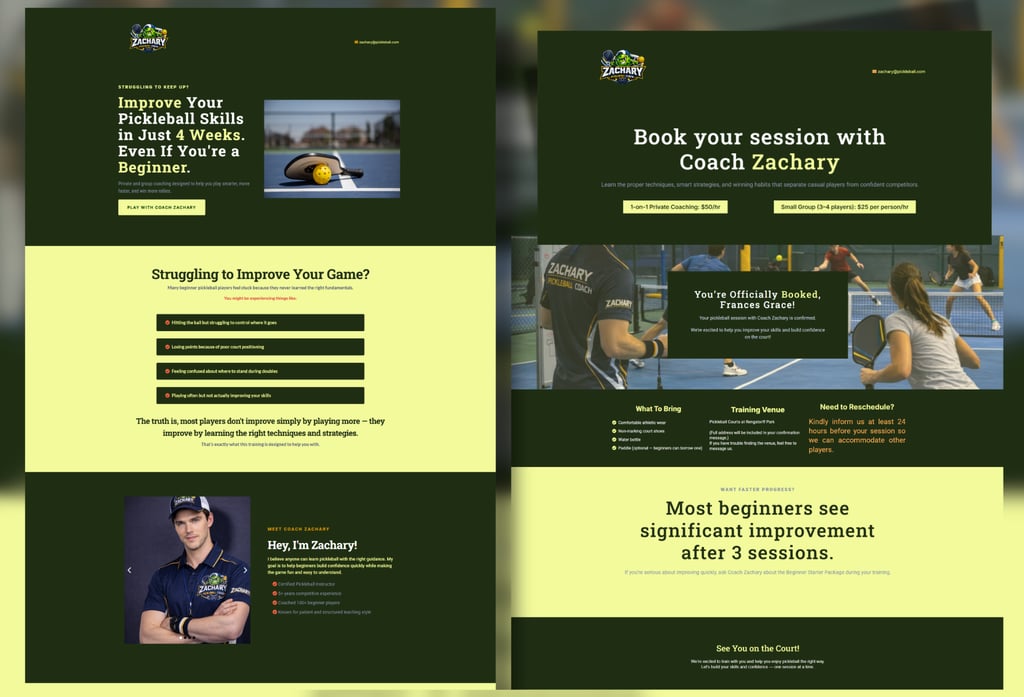
Funnel Workflow
The funnel follows a simple step-by-step flow designed to convert visitors into booked coaching sessions
Offer Page → Session Selection → Calendar Booking → Contact Form → Booking Confirmation
You can view the sample funnel here:
Offer Page
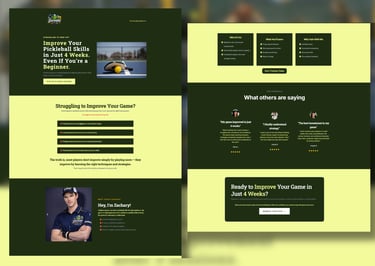
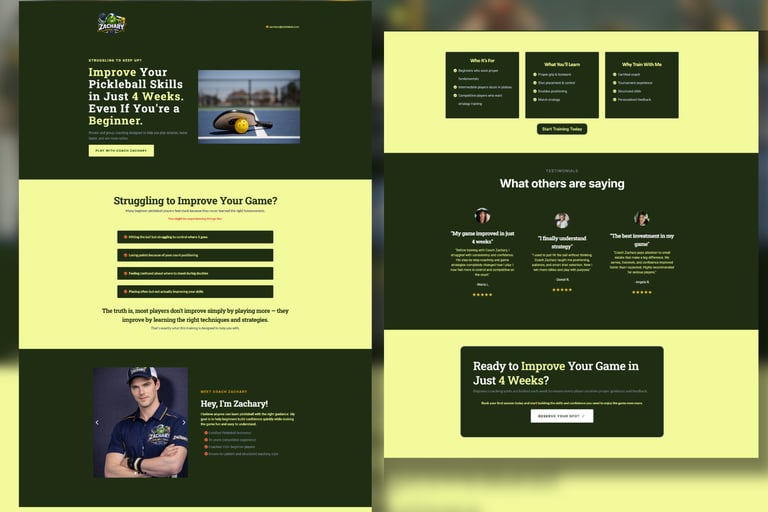
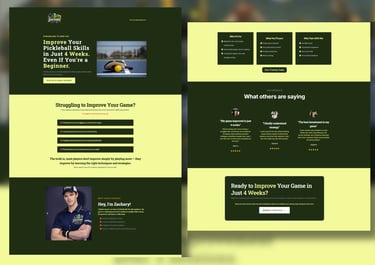
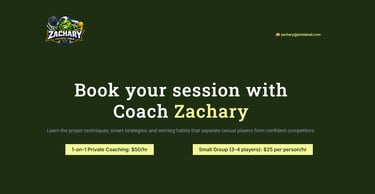
The funnel begins with an offer page that introduces the pickleball coaching service and highlights the benefits of training.
Visitors are encouraged to book a session through a clear call-to-action button.
Offer page includes:
Coaching description
Training benefits
Call-to-action button
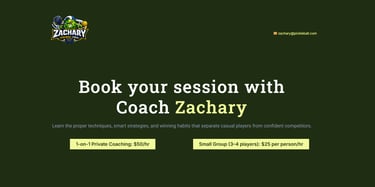
Session Selection Page
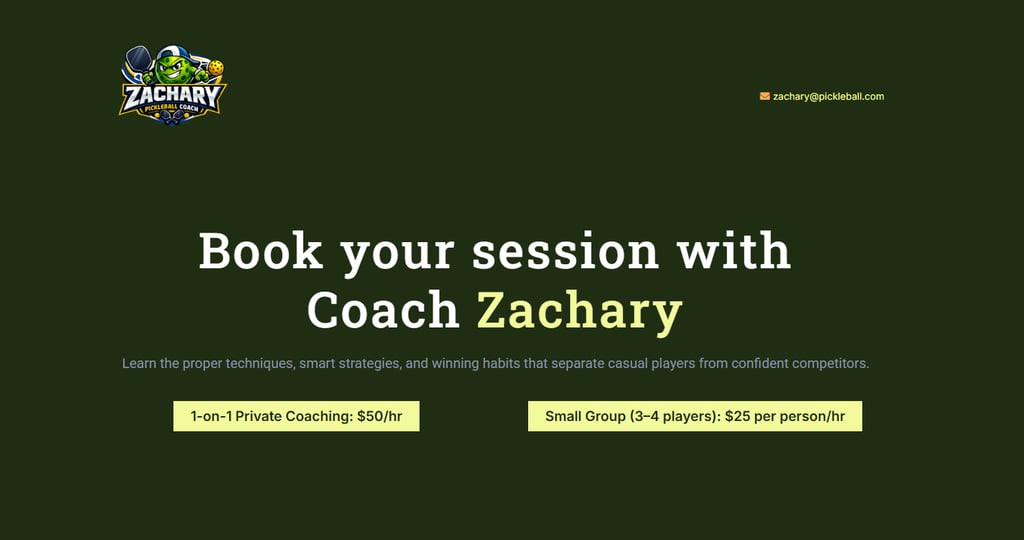
After clicking the call-to-action button, visitors are directed to a page where they can choose their preferred coaching session.
Session options
1-on-1 Coaching
Group Coaching Session
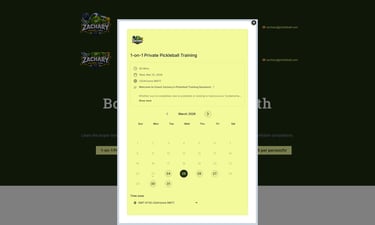
Calendar Booking System
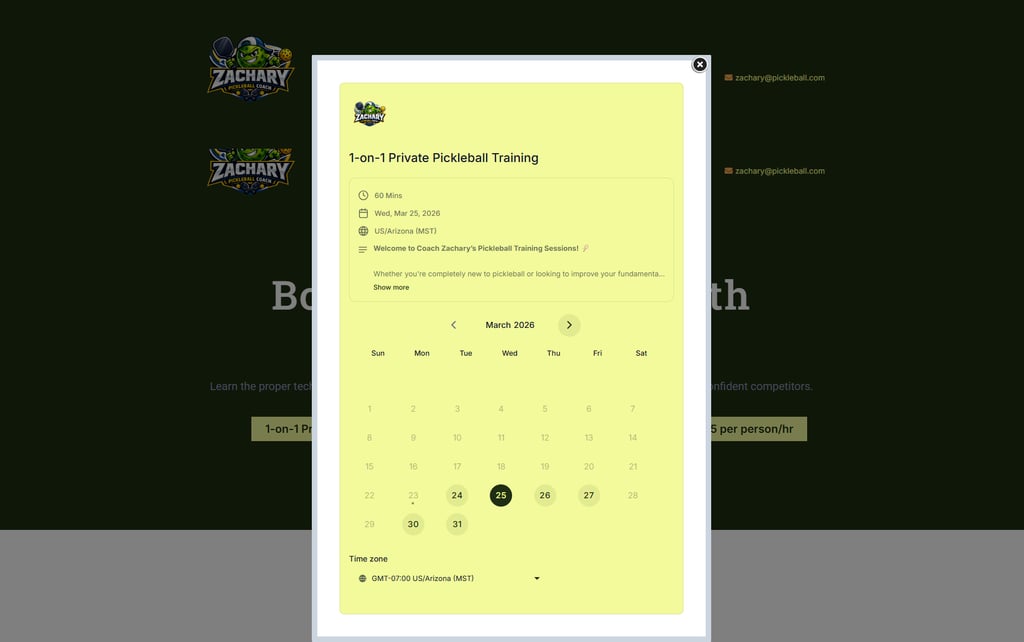
Once a session type is selected, an integrated booking calendar displays available coaching schedules.
Players can choose their preferred date and time for the training session.
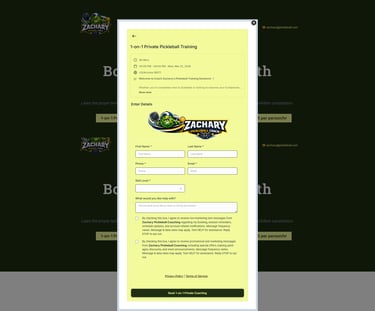
Contact Information
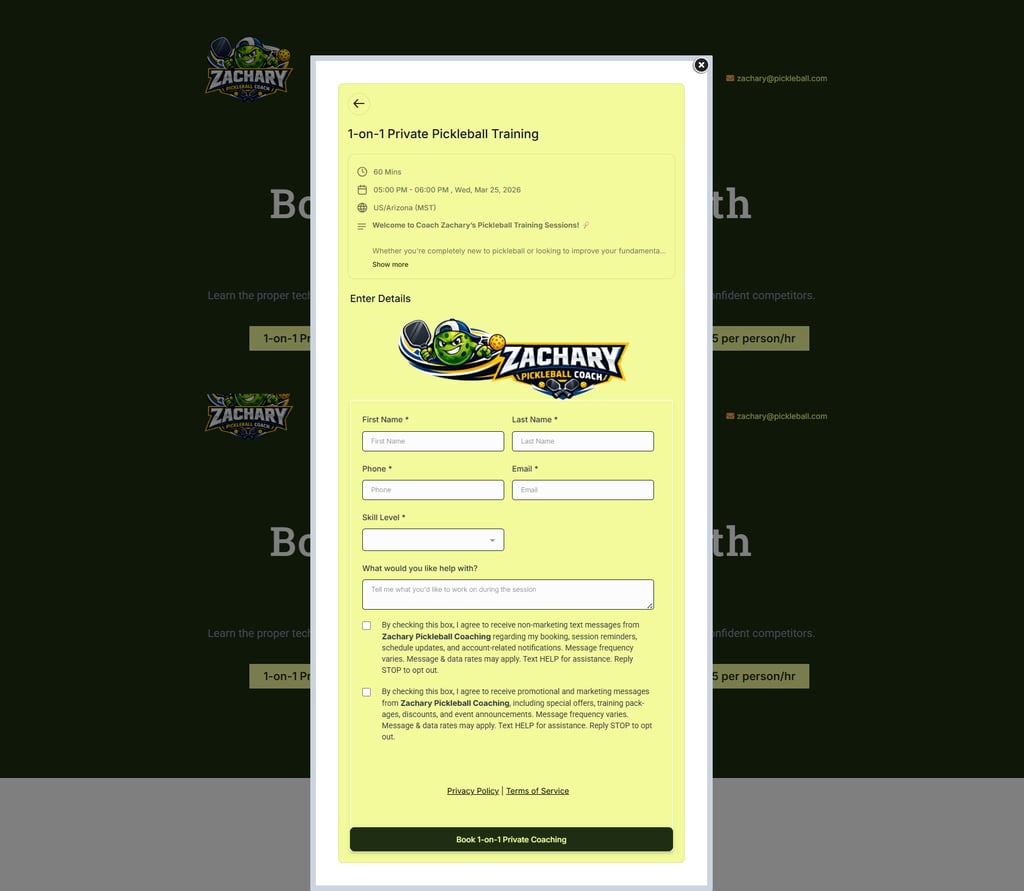
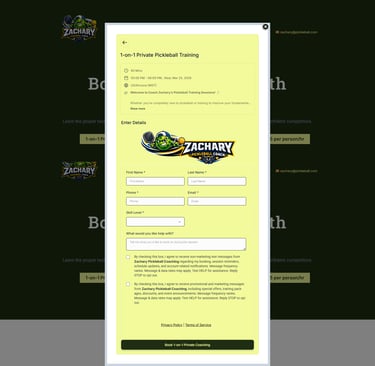
After selecting a schedule, players are asked to enter their contact information to confirm the booking.
Form fields
Name
Phone Number
Email Address
Skill Level
Message
CRM & Lead Management
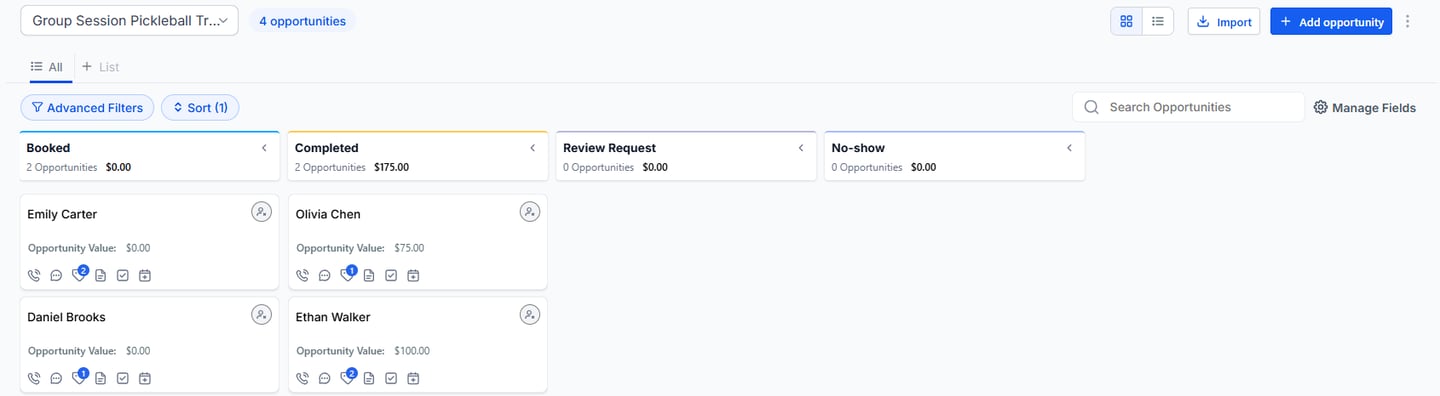
After a booking is completed, the player’s information is automatically stored inside the GoHighLevel CRM.
This allows the coach to manage sessions and track player bookings.
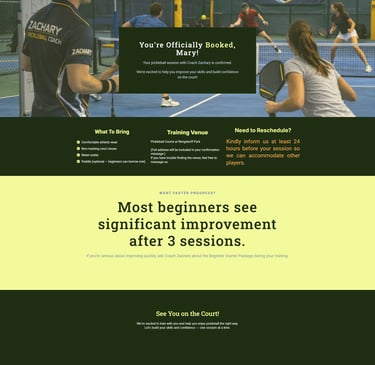
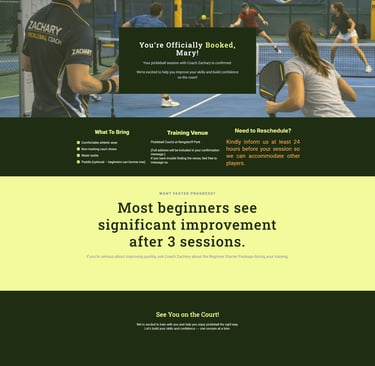
Confirmation Page
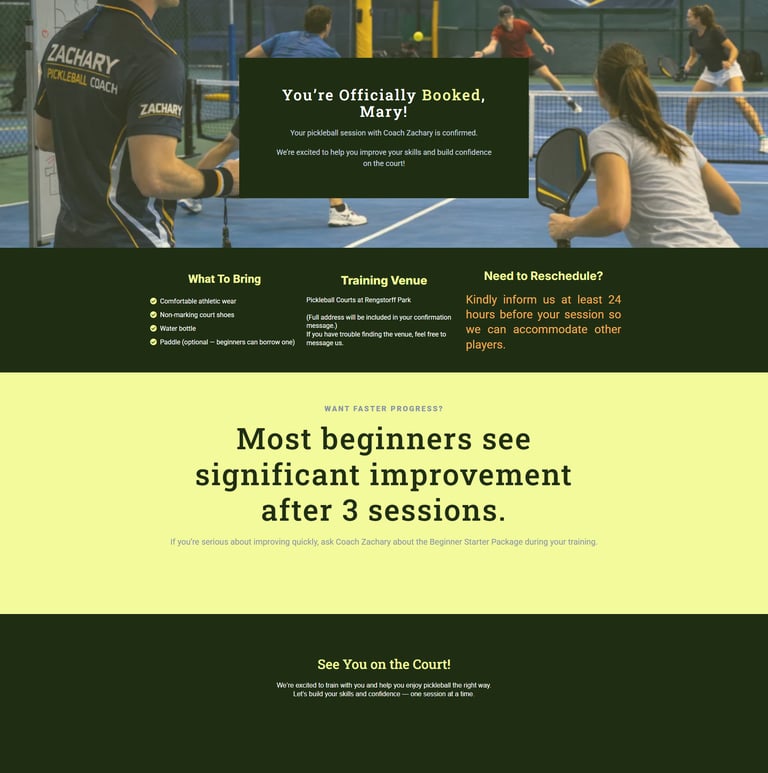
After completing the booking form, players are redirected to a confirmation page.
This page confirms that the booking was successful and reassures the player that their training session has been scheduled.
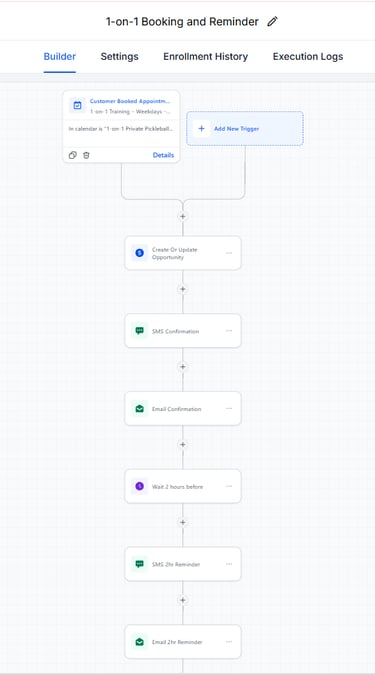
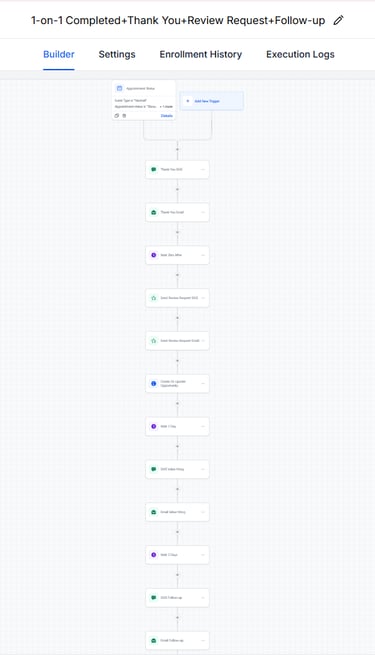
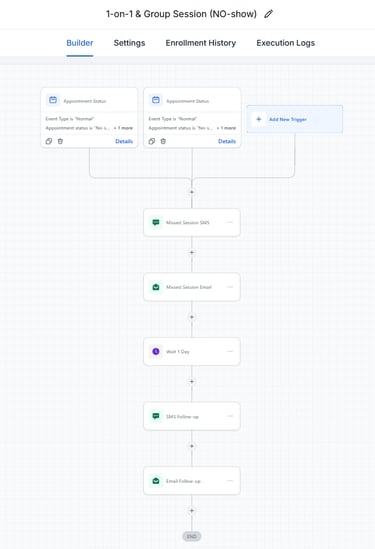
Automation Workflows
Automation workflows were created to improve communication with clients and reduce missed appointments.
These workflows automatically send confirmation messages and reminders after a booking is made.
Frances Alicando
Your GoHighLevel Specialist
Building systems that turn inquiries into organized opportunities.


PREFER TO SCHEDULE A CALL DRIECTLY?